
Built by swimmers, for swimmers

There's time hiding in your race.

Upload a race video. StrokeLab pulls every split, stroke rate, underwater, and breakout out of the footage, and OmniCoach turns it into feedback worth taking to practice.

No account needed to start Your videos aren't stored
See the sample report
Race time 23.40 s
Stroke rate 53.8 spm
15m off the start 6.24 s
The tools

From race video to a real plan, in three steps.

Use either on its own, or pass one straight to the other.

  1. 1
    Record the race

    Any race video from the stands or deck works. No sensors, no special gear.

  2. 2
    StrokeLab reads it

    It breaks the footage into splits, pace, stroke rate, distance per stroke, 15m times, underwater time, turn times, and more.

  3. 3
    OmniCoach coaches it

    The numbers become plain feedback, a race plan, and notes you can act on.

StrokeLab

Race video analysis

Open StrokeLab

Turn a swim video into clear race numbers.

Upload a race clip and get clean numbers for splits, pace, stroke rate, distance per stroke, 15m times, underwater and breakout time, and turn times.
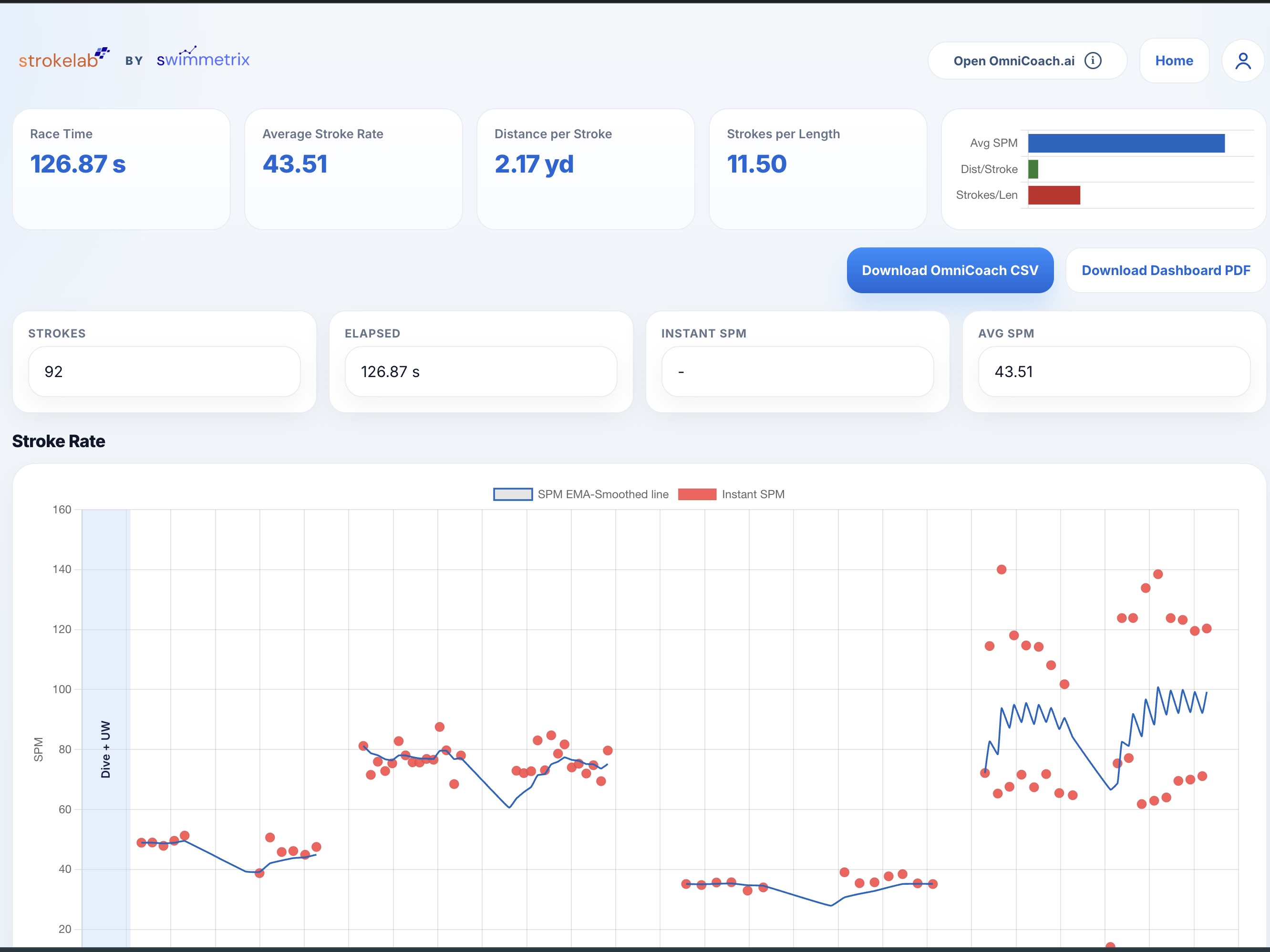
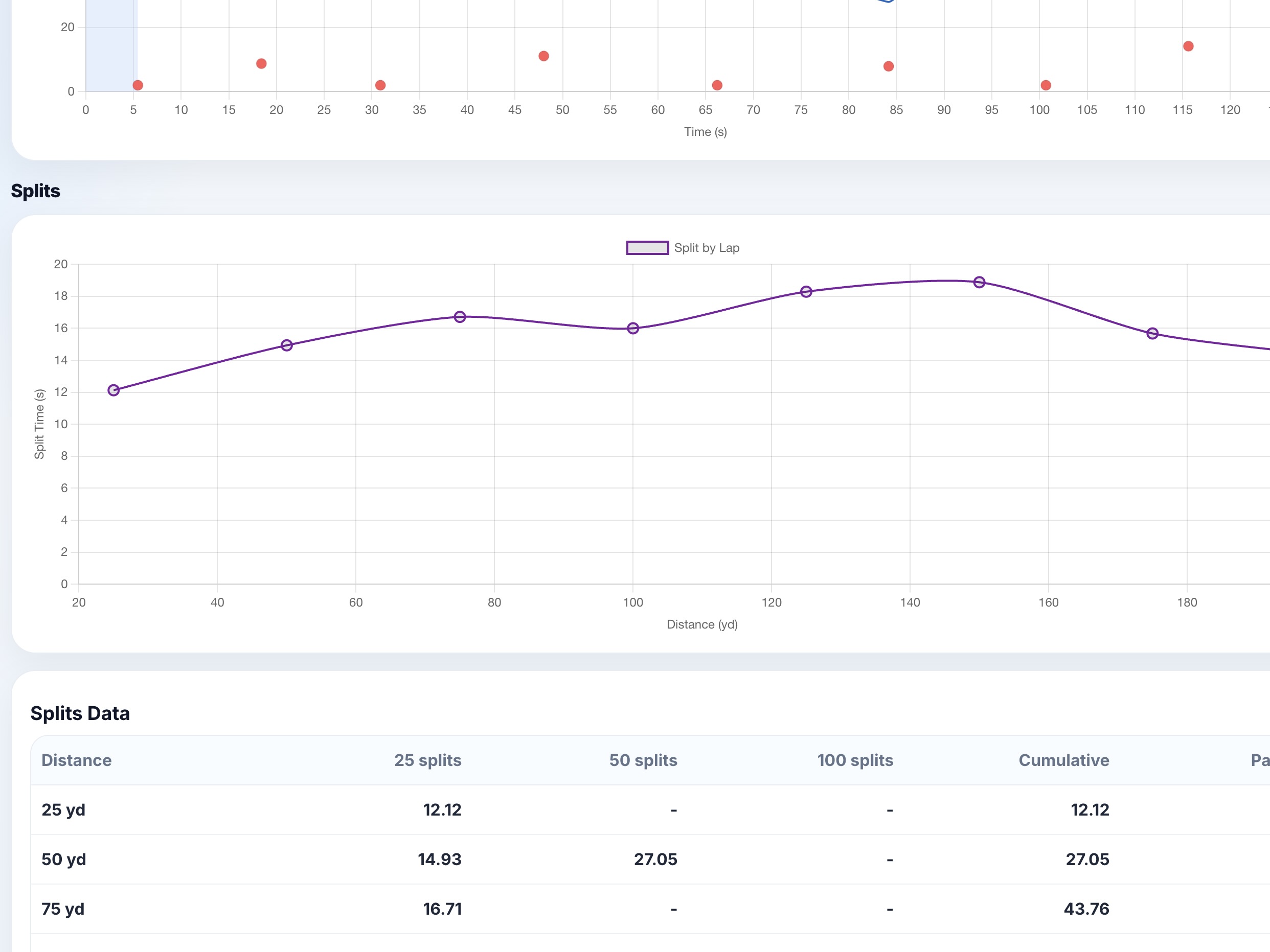
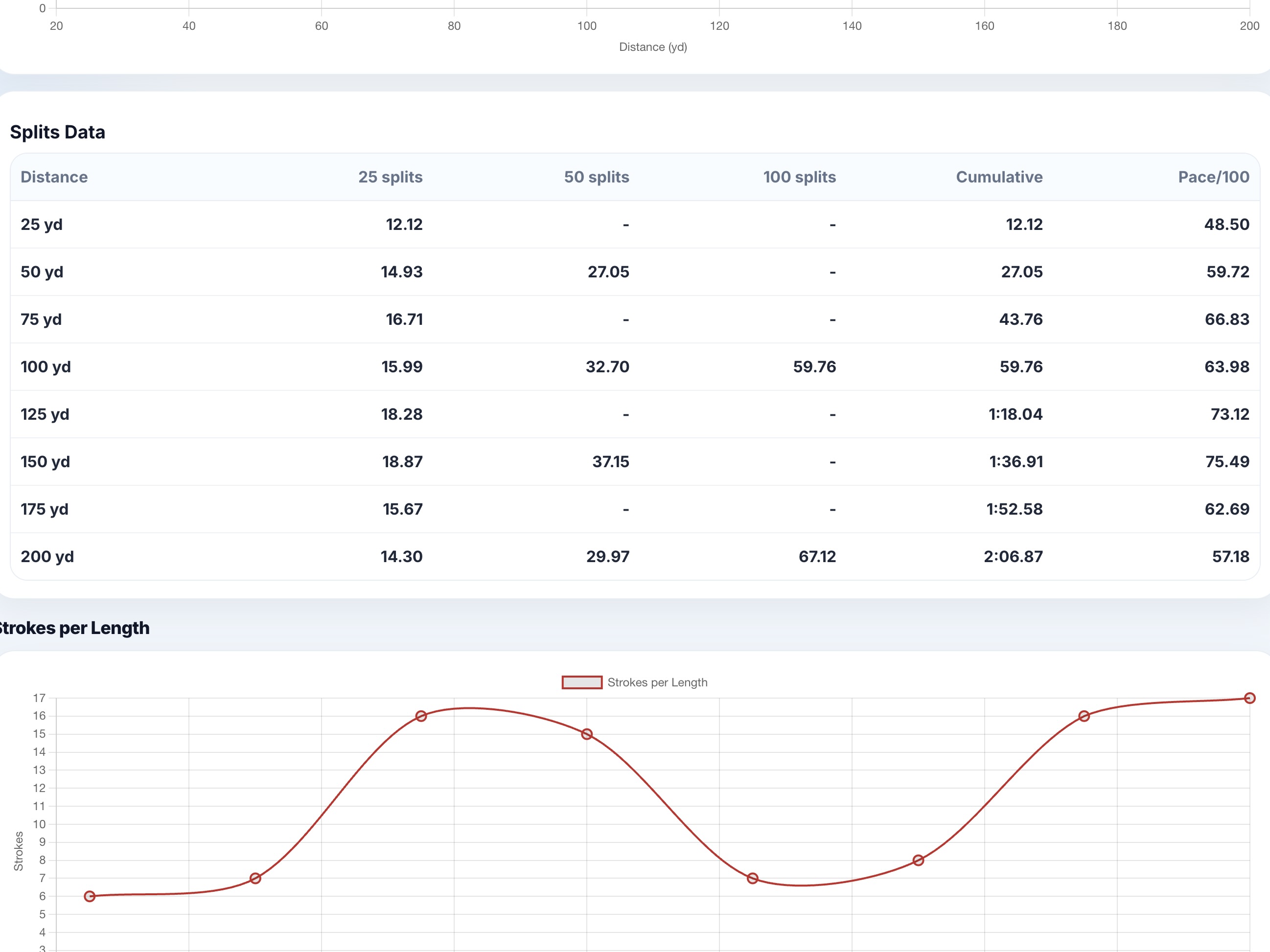
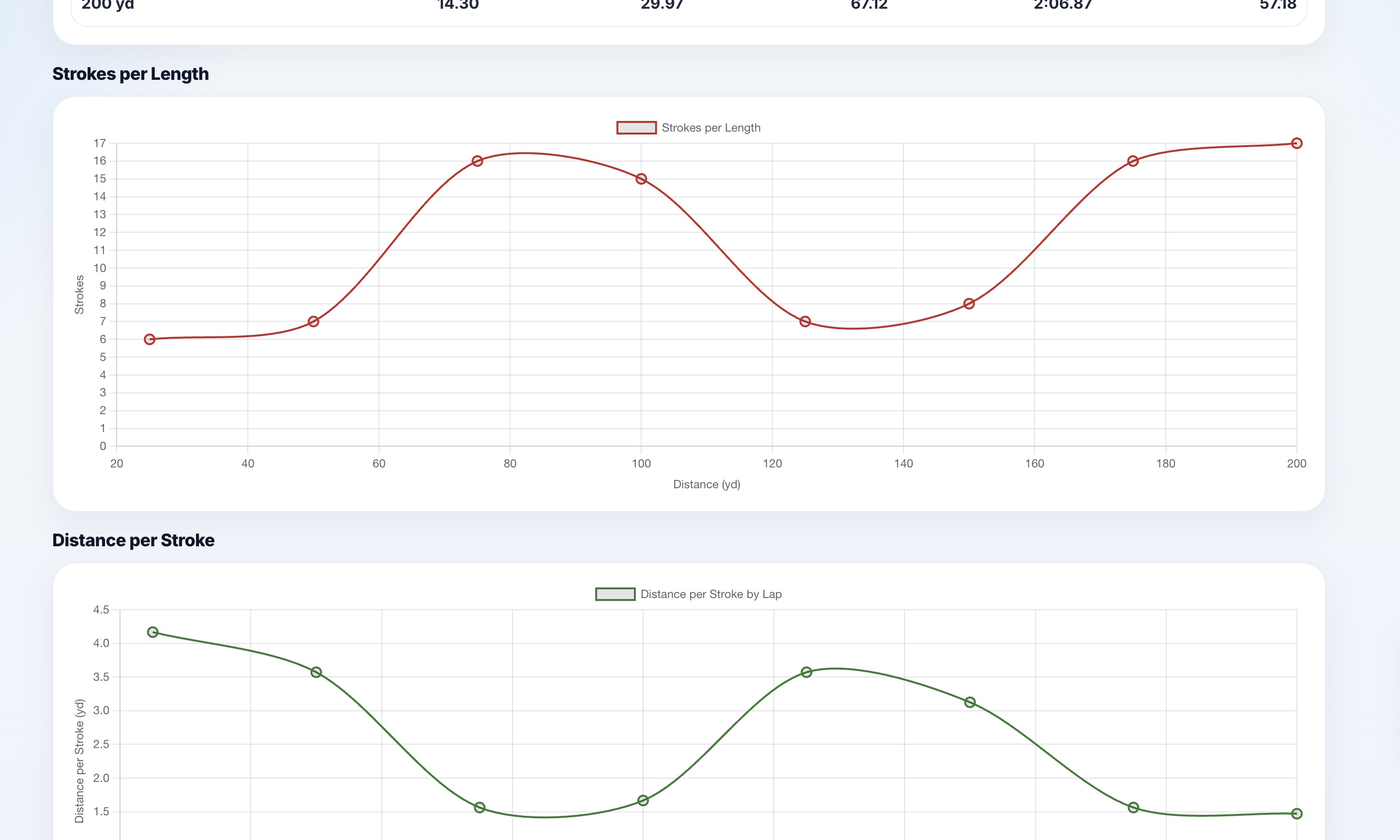
StrokeLab dashboard with race metrics StrokeLab stroke-rate chart StrokeLab split breakdown StrokeLab analysis view
StrokeLab preview
StrokeLab Sample output
126.87 s
Race time
43.5 spm
Avg stroke rate
2.17 yd
Dist / stroke
11.5
Strokes / length
6.24 s
15m off the start
0.92 s
Avg turn time
4.12 s
Underwater + breakout / length

A demo, similar to what StrokeLab gives you from a race breakdown.

What StrokeLab measures
Length splits

Every length on its own, so you can pinpoint where time was won or lost.

Pacing

Pace per 100 across the race: opened too hard, or built when it counted?

Stroke rate

Real tempo, not a guess. Know if speed came from turnover or length.

Strokes per length

A climbing count flags fatigue, short strokes, or weak breakouts.

Distance per stroke

How far each stroke travels, linking technique and power to the clock.

15m times

Your time to the 15m mark off the start and turns, where underwaters win or lose races.

Underwater + breakout

Total underwater and breakout time on each length, so you can see what your dolphin kick is buying.

Turn time

Time in and out of each wall, so you can see whether turns are quick or costing you.

Export to OmniCoach.ai

Send the full breakdown to OmniCoach in one click for coaching.

OmniCoach

AI coaching companion

Explore OmniCoach

Turn race data into feedback swimmers can actually use.

Export your StrokeLab data, open OmniCoach on Poe, and get plain-language feedback, strategy, and training ideas*.

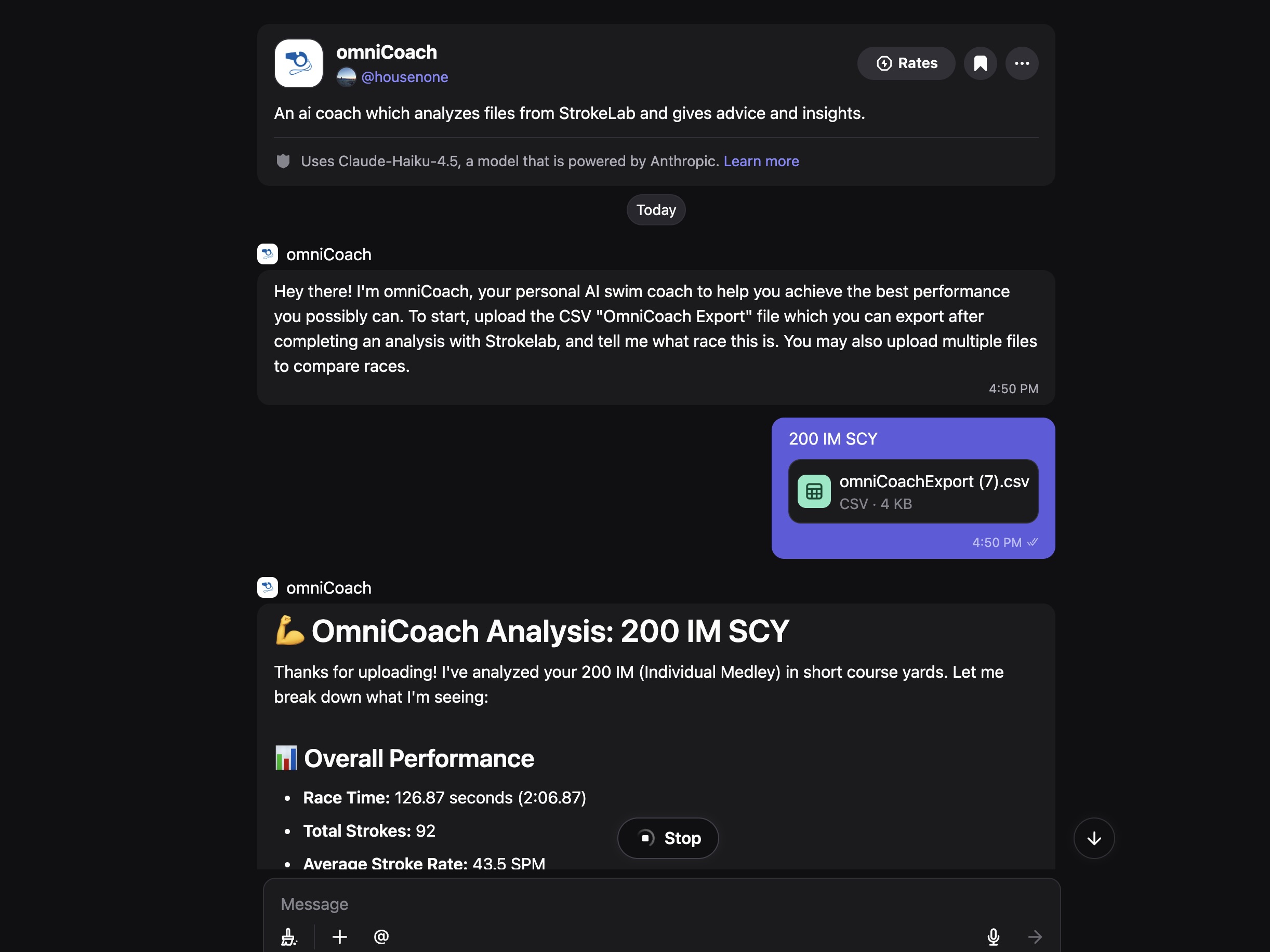
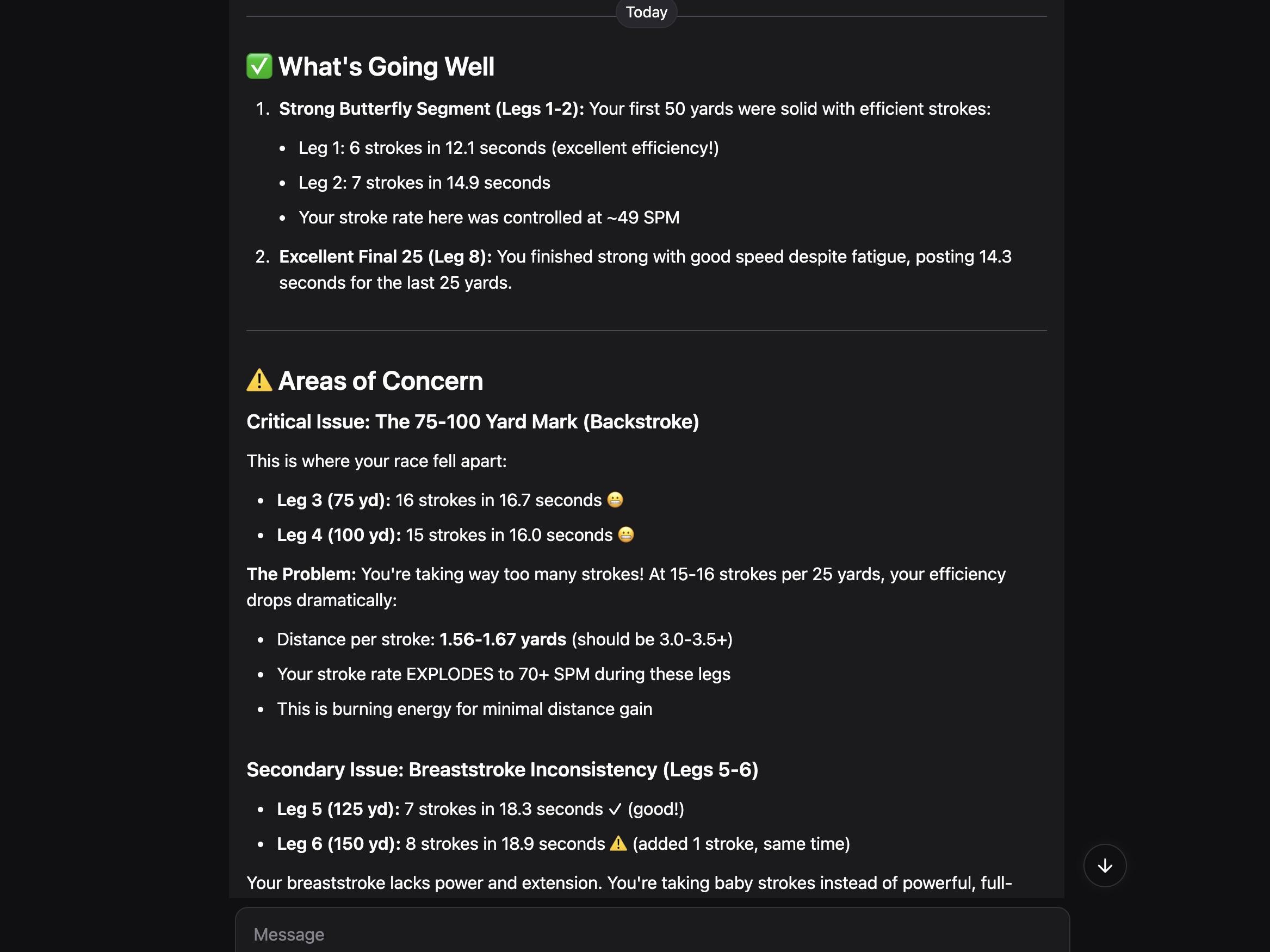
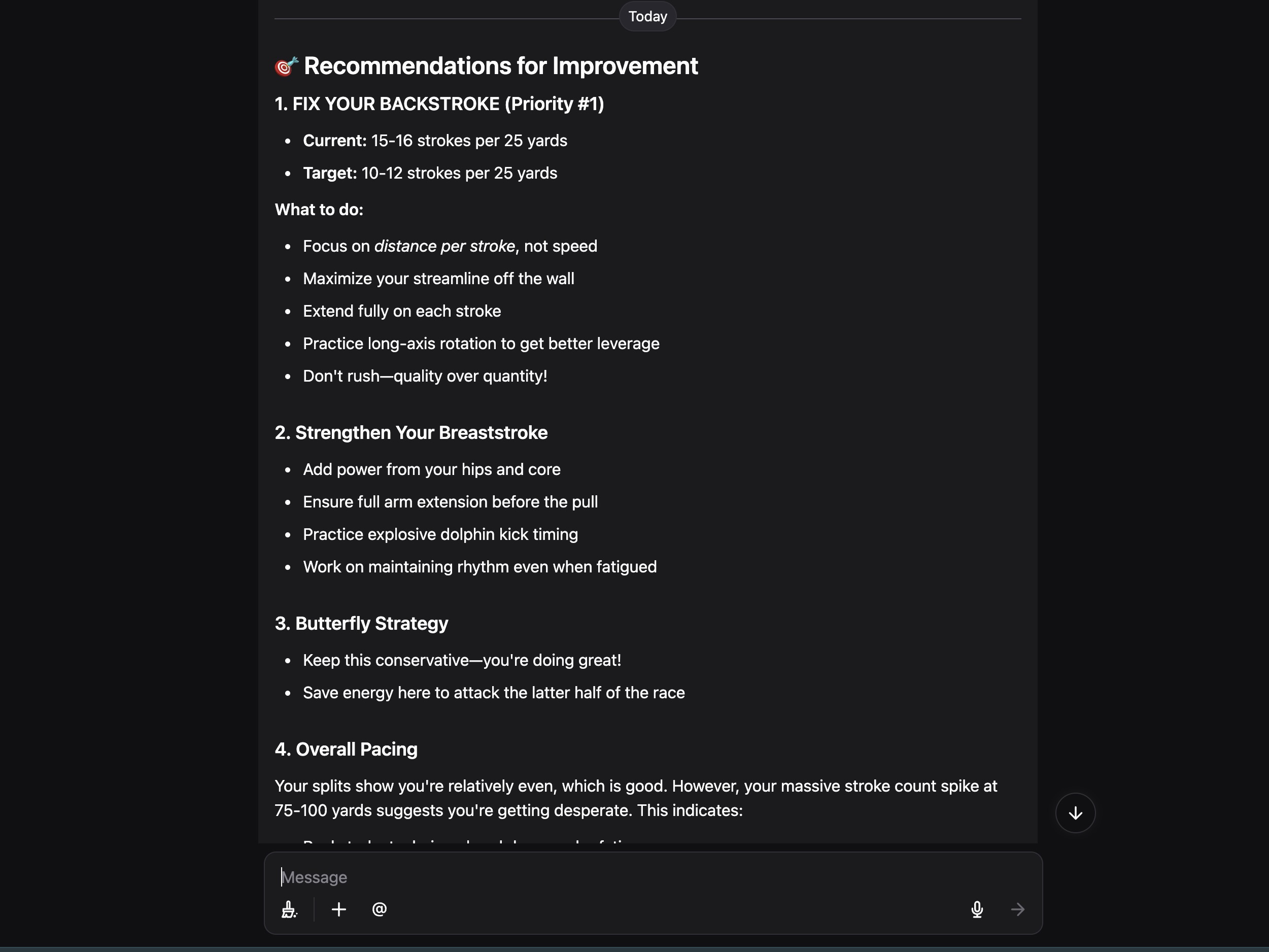
OmniCoach feedback conversation OmniCoach strategy notes OmniCoach training suggestions
OmniCoach preview
OmniCoach Example feedback
“Your tempo held through the first 100, then dropped about 8% after the third turn while your stroke count crept up. Back-half pacing stayed strong, so the time to find is in your breakouts. This week: 8×50 holding stroke count off fast walls.”
Tempo down 8% after turn 3 Breakouts to clean up
What OmniCoach gives you
Takeaways

The one main lesson from the race, in plain language.

Strategy

Plan the next swim on purpose instead of reacting to the final time.

Training

Turns race patterns into focus areas for your next set.

Pattern spotting

Catches what one watch-through misses, like tempo fading after turns.

Race comparison

Compare two swims by pacing, turns, and rhythm, not just time.

Coach notes

Short, deck-ready notes you can talk through with a swimmer.

The team

The people building Swimmetrix.

A small group of swimmers and builders who wanted better tools than we had.

Housen Chen

Housen Chen

Co-FounderCTO

Housen leads the technical side of Swimmetrix, shaping the product, the code, and the small details that make everything run smoothly.

See more
Alex Chen

Alex Chen

Co-FounderCFOO

Alex keeps operations and finance organized, while helping shape the story and push Swimmetrix forward.

See more
Derek Wei

Derek Wei

VP of Product

Derek shapes Swimmetrix products through engineering, product decisions, and 3D modeling, keeping ideas useful for real swimmers and realistic to build.

See more
Marvin Qian

Marvin Qian

VP of Marketing

Marvin runs Swimmetrix's social media, marketing, and product promotion, keeping the message for StrokeLab and OmniCoach clear.

See more
FAQ

A few quick answers.

What does Swimmetrix do?

We turn race video into practical swim analytics that athletes and coaches can use right away, with no expensive enterprise software required.

Who is it for?

Swimmers and coaches who want a simple, modern way to review races and plan training, from club level up.

Do I need an account?

No. The core experience works without an account, so your first run is as frictionless as possible.

What kind of data do I get?

Splits, pace, stroke rate, stroke count, distance-per-stroke insight, 15m times, turn times, and underwater and breakout time, plus AI-generated training advice, race strategy, and room-to-improve feedback, depending on the tool and the video you give it.

What happens to my uploads?

Swimmetrix doesn't store your video files. The analytics can stay on your device, or you can sync them to your Google account for easier access later.

Ready to make swim analysis feel a little easier?

Start with StrokeLab, take a look at OmniCoach, and keep the whole thing simple enough to use between sets.